There is no question in my mind that over the next few years headsets for VR and AR will become commonplace with anyone who works with text.
Issues to overcome include reducing the screen door effect so that reading text becomes pleasant, weight and comfort for longer sessions cost and maybe most importantly and surprising that it has not yet been solved: Instant access to the user’s information landscape and colleagues (though I do expect Apple to make some major advances here).
Opportunities initially include space, space and more space to think and work. Beyond this there is almost limitless potential for text and information interaction in general, something we have only started to scratch the virtual surface of.
The importance of today. I feel quite strongly that it will be important to develop this entirely new, all-encompassing environment as well as possible and not only based on the initial commercial explorations of big tech companies. This is why I have been experimenting to experience and hosting dialog on the future of text in VR through the Lab.
Because AI queries while writing are likely quite different than when reading, we have added AI to Reader directly.
Goal: Give users the power of AI when reading to help them evaluate & understand the material and how it connects to other knowledge in their field.
Issue Command
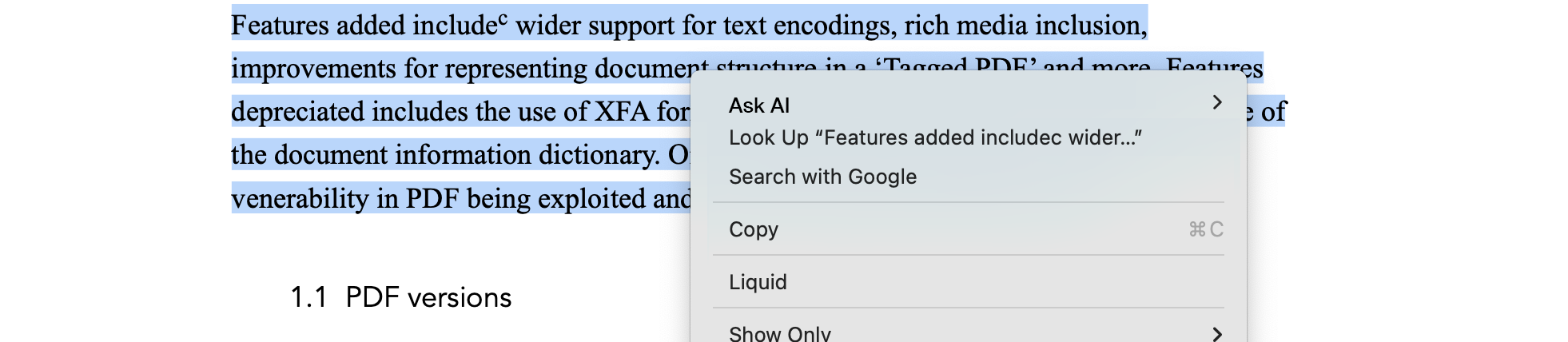
User ctrl-clicks on selected text and a new command ‘Ask AI’, menu appears at the very top of the list:
This menu has sub items, as listed here (subject to editing):
‘What is this’ (W)
‘Show me more examples’ (S)
‘What does this relate to’ (R)
‘Show me counter examples’ (C)
‘Is this correct?’ (I)
‘Explain the concept of (E)’
‘Create a timeline of this’ (T)
‘Discuss the causes and effects of’
‘Edit’ (which opens Reader’s Preferences to allow the user to design their own)
Results
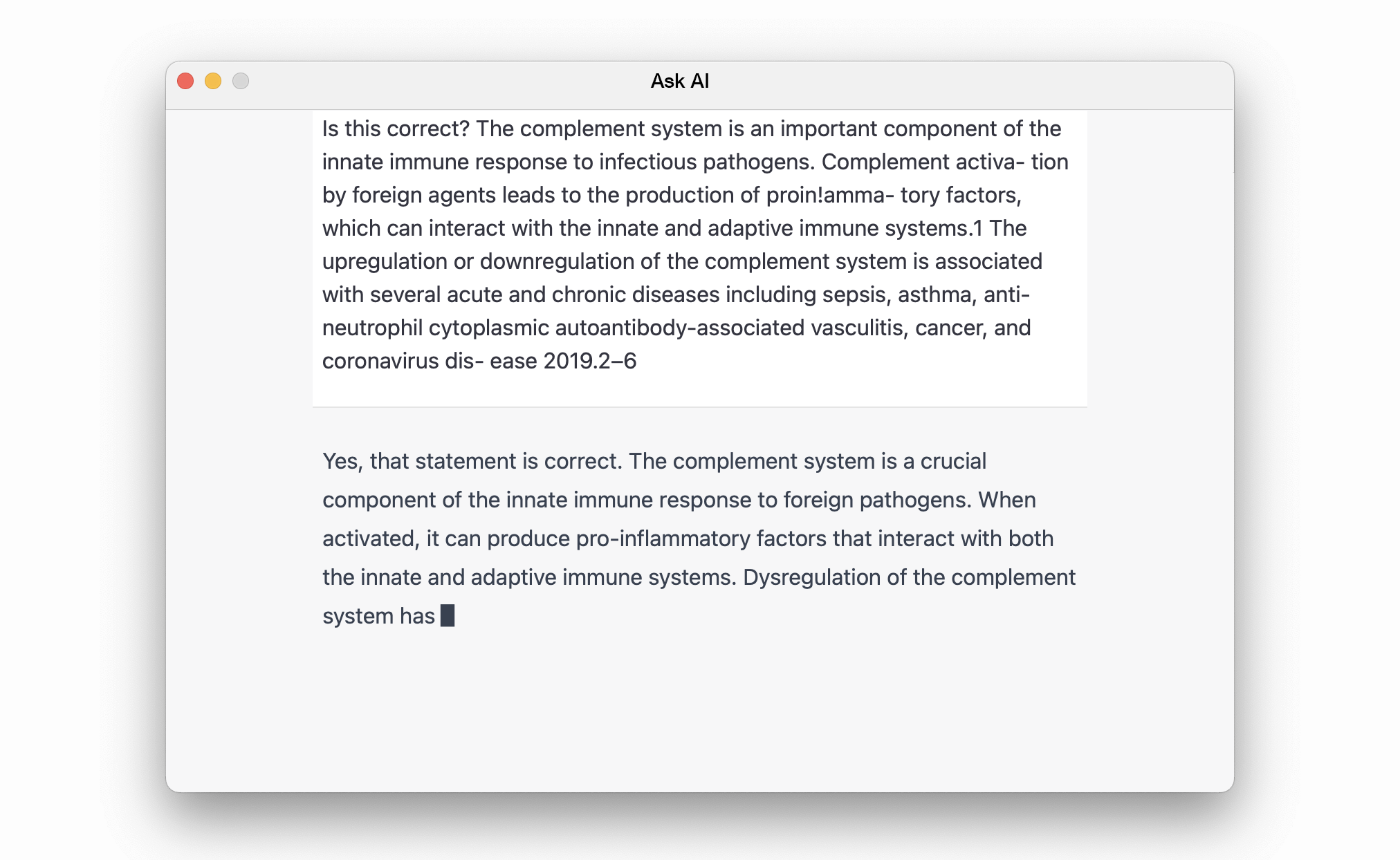
The results are shown in a floating window where the query text is shown in a box, as below, and the results below. The text can be interacted with to copy it. To dismiss simply close the window.
Preferences
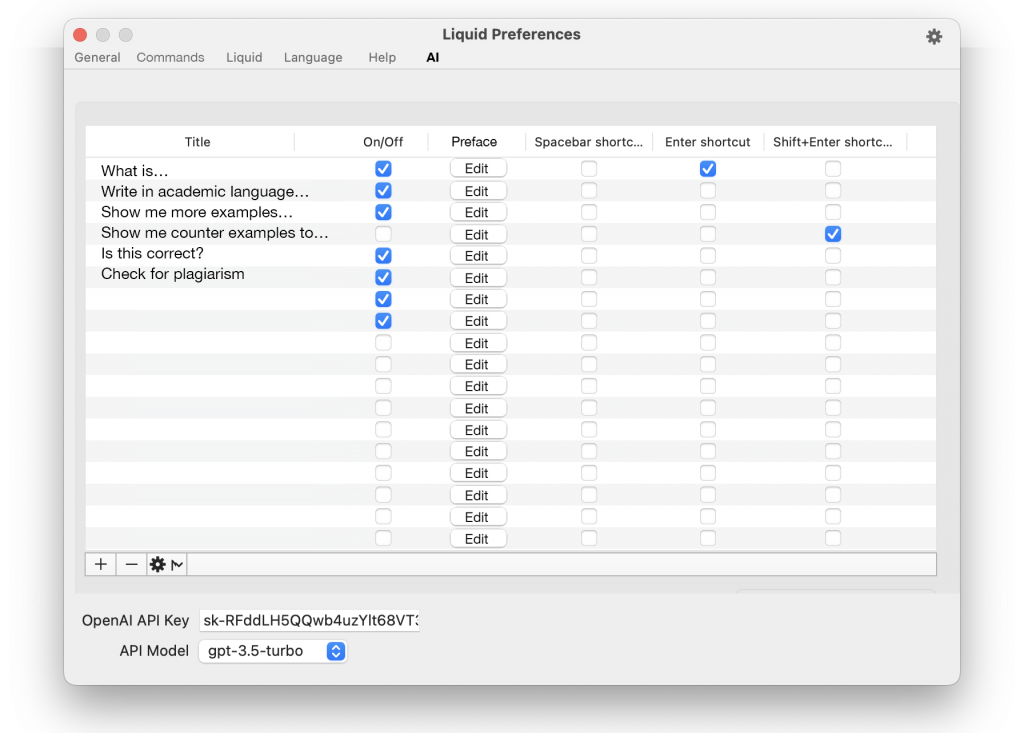
Users will need to supply their own OpenAI API keys (same as the approach for AI in Liquid and macGPT) where they can also turn on and off commands.
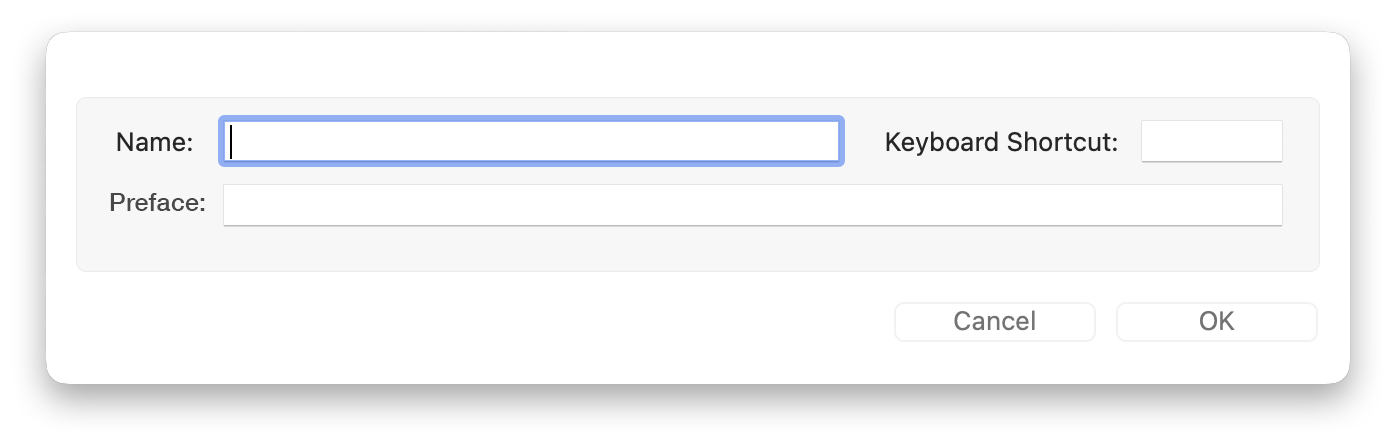
Clicking [+] produces this dialog, same as clicking [Edit] for a current command:
After getting the MacGPT app, which is essentially toolbar access to GPT, and after user requests, I realised this can’t be that hard to implement in Liquid, so here is the plan: Use Liquid as an interface to take whatever the user comes across or writes and in a few clicks send to an AI system (GPT) with a custom prompt, to help both students, teachers and general knowledge workers:
Interaction
A new top level command in Liquid called ‘Ask’, with shortcut (A) to send selected text to ChatGPT, with an associated prompt:
The sub menu contains options to choose a prompt/how to preface the selected text (not all are on/visible by default):
‘What is’ (W)
‘Write in academic language’ (A)
‘Show me more examples’ (S)
‘What relates to’ (R)
‘Show me counter examples to’ (C)
‘Is this correct?’ (I)
‘Check for plagiarism’ (P)
‘Explain the concept of (E)’
‘Create a timeline of’ (T)
‘Discuss the causes and effects of’
Create a quiz with 5 multiple choice questions that assess students’ understanding of
‘Edit’ (which opens Liquid’s Preferences to allow the user to design their own)
Results
Since the API can be slow, as can be seen when using MacGPT and other interfaces, there will be a flashing cursor while waiting for the results. If it is easier to produce the results in a web view, then we will do that.
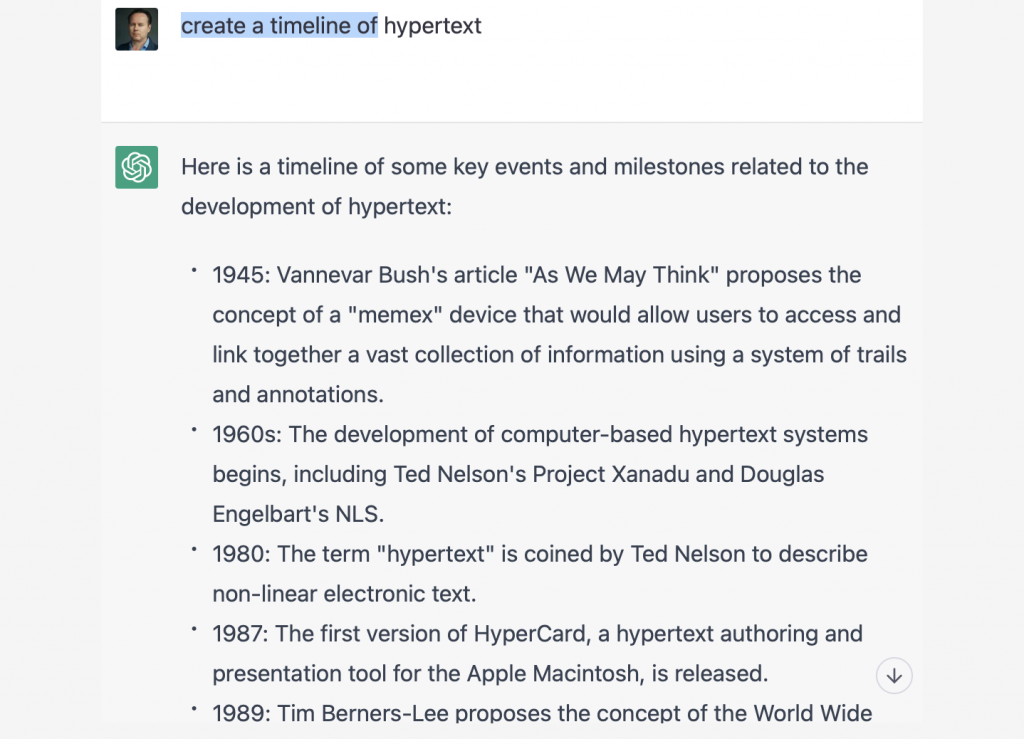
Note, as in the error for 1980, AI is not at the stage where it can be trusted to always be correct, and maybe this will never happen. Nevertheless, it is a tool and user’s need to learn how to use it, including checking what it produces:
Development note: This should ideally be presented in a non-full screen, floating window, for the user to dismiss when done or leave open.
Preferences/Key (how it works)
Here the user will be able to customise and make their own preface text/prompts. Enter a name, shortcut and full text of prompt/preface text to send to Chat PGT:
Preferences is also where user’s add their own API Keys for GPT, as inspired by how MacGPT does it, and also option to choose model.
On first try of an AI service, Liquid will show a dialog asking for the API key. If dismissed, it will simply ask for it again on next attempt.
Future updates should be able to let the user choose other AI models, including Google Bard.
Notes on longer prompts
Some of the actual prompts will be longer than indicated above. This will need some basic experimenting. For example:
Check for plagiarism: I want you to act as a plagiarism checker. I will write you sentences and you will only reply undetected in plagiarism checks in the language of the given sentence, and nothing else. Do not write explanations on replies. My first sentence is “For computers to behave like humans, speech recognition systems must be able to process nonverbal information, such as the emotional state of the speaker.”
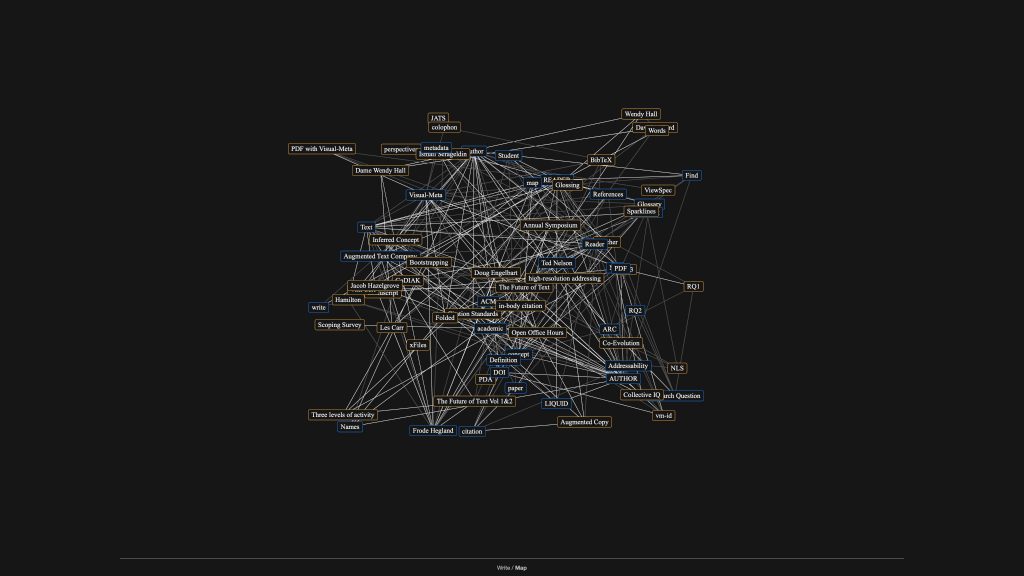
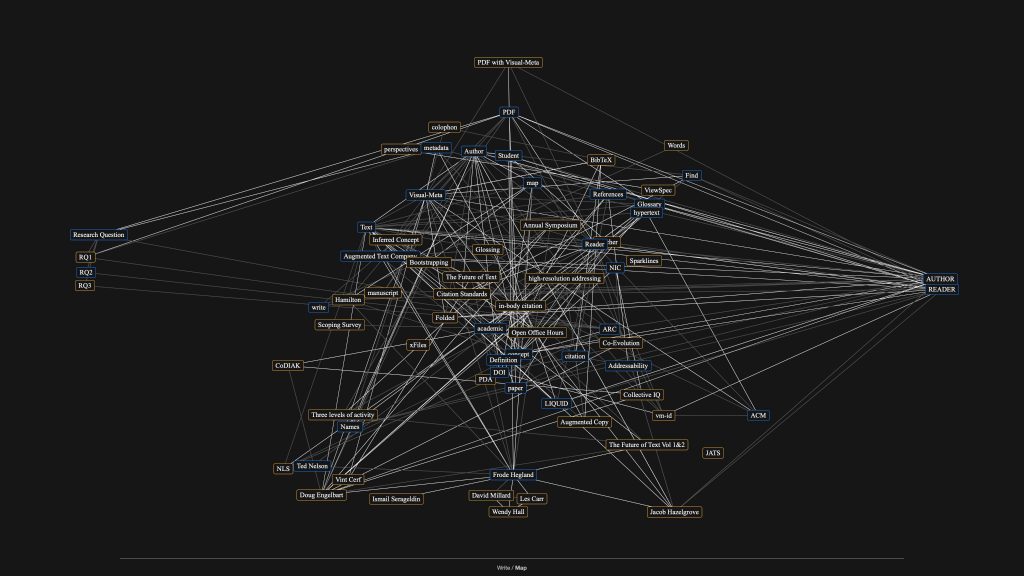
Although the act of writing is an intimate affair, where even a 13″ laptop screen can be ideal, allowing the author to focus, the act of editing and constructing a large document and thinking about connections can benefit from a larger display.
Almost like XR in scale, though of course there is no third dimension. It was the act of working in VR which really showed me how more space helps however. If the current headsets were less likely to loose connection to my Macbook and had less screen door effect, I might not have needed to purchase this screen and I would have had the benefit of an even more flexible, and portable workspace.
I went from this when working in the Map view in Author:
Based on having document names (not only titles) stored in Visual-Meta when creating a reference in Author, and this being available in Reader, the following should be possible:
User Action
If the user has downloaded the document which is cited (linked to), and it is in a folder known to Reader (or a sub-folder therein), then the user should be able to click on a citation and the local document should open, not a web address.
Premise
The user has already downloaded the document cited.
The document name has not changed.
Questions
Can the folder have folders inside it?
Is it much work for Reader to check if, on user clicking a citation in the document like this [1] if the document linked to is on the hard drive.
Doug was my friend and mentor. His augmentation framework, which was presented in his 1962 paper, still informs and inspires what I do.
“We need to improve how we augment a group’s (small, large, internal, global etc.) capability to approach urgent, complex problems to gain more rapid and better comprehension (which can be defined as more thorough and more critical) which result in speedier and better solutions (more contextual, longer lasting, cheaper, more equitable etc.). And furthermore, we must improve our improvement process (as individuals and groups).”
Douglas Engelbart
My friend Fleur and I made a brief web based documentary with him. None of the originally uploaded videos are playable, so I have uploaded them to YouTube. To me, this is an example of the brittleness of ‘rich media’ and a reminder how important it is to have our knowledge also stored in robust media, such as text.
He told me how it all started:
…the world is very complex if you are trying figure out what you would fix, etc., and how you’ll go up trying to fix it. And one Saturday I – God – the world is so damn complex it’s hard to figure out.
And that’s what then dawned on me that, oh, the very thing: It’s very complex. It’s getting more complex than ever at a more rapid rate that these problems we’re facing have to be dealt with collectively. And our collective ability to deal with complex urgent problems isn’t increasing at anything like the parent rate that it’s going to be that the problems are.
Soif I could contribute as much as possible, so how–generally speaking–mankind can get more capable in dealing with complex urgent problemscollectively, then that would be a terrific professional goal. So that’s… It was 49 years ago. And that’s been ever since.
He wrote the following in an email September 2003, a statement which still provides me with joy and energy to continue the work on the future of text:
I honestly think that you are the first person I know that is expressing the kind of appreciation for the special role which IT can (no, will) play in reshaping the way we can symbolize basic concepts to elevate further the power that conditioned humans can derive from their genetic sensory, perceptual and cognitive capabilities.
Douglas Engelbart
And finally, Doug after look at ‘Hyperwords’ the system I developed at the time, a forerunner of Liquid:
We call it by many names; VR, AR and XR, but I think it will soon be referred to by the general public simply as putting on a headset. This is similar to how we used to work ‘with hypertext systems’ but now people just ‘go online’ and ‘click on links’.
I am a firm believer in the coming work style of most of using headsets for at least part of the day, smilier to how we might work on a smartphone, laptop and desktop, and even with our watches, as part of our workday. I don’t think the headset will take over, but it will definitely become a useful part of our work. Since this way of working offers much greater opportunities for information presentation, my own thinking is that this will be the ‘native’ information environment for many people and all the traditional media will be thought of as limited access points.
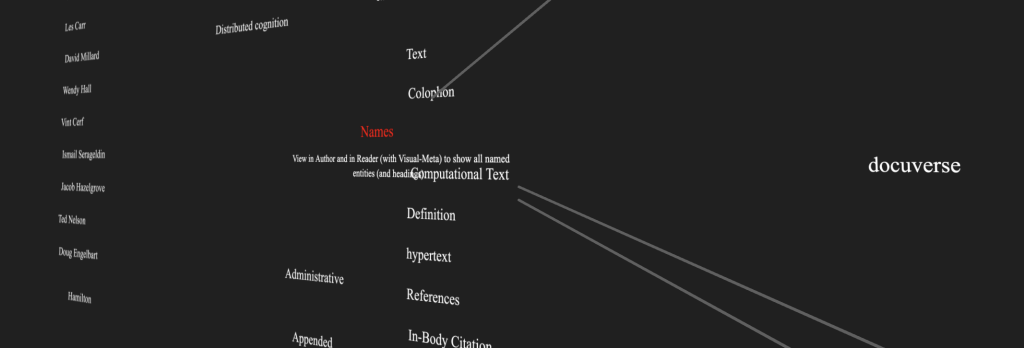
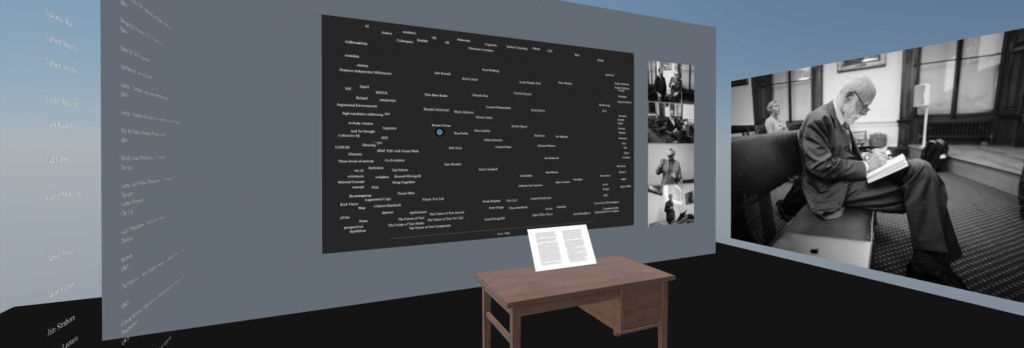
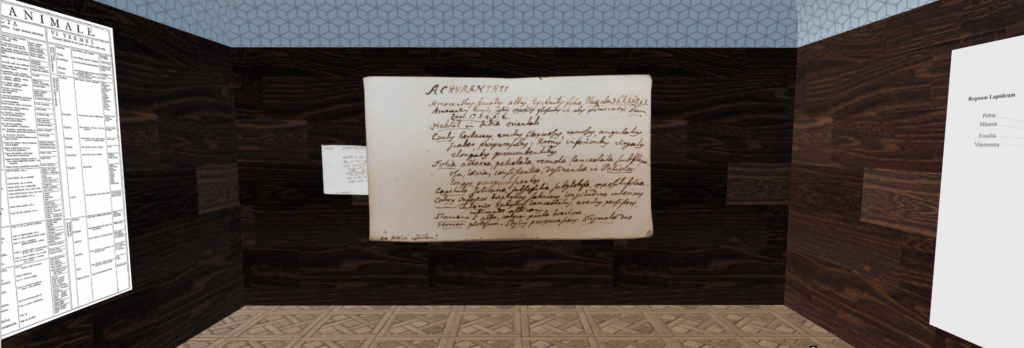
So far, we have built a few VR experiences in the Future Text Lab:
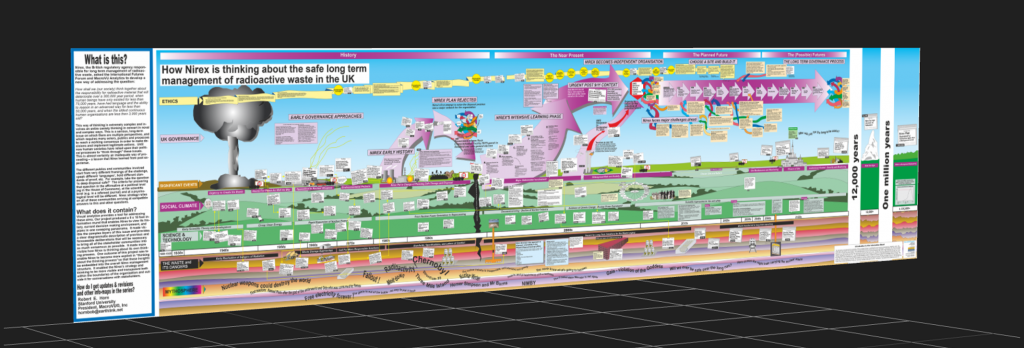
‘Simple’ Mural (By Brandel) A simple and powerful introduction to VR, this shows a single Mural by Bob Horn, which you can use your hands to interact with: Pinch to ‘hold’ the mural and move it around as you see fit. You simply pinch in space and that counts as a hold by the system. If someone says VR is just the same as a big monitor, show them this!
Basic Reading & Graph in VR(by Frode) to experiment with sitting at a desk and interacting with documents in a VR setting.
Simple Linnean Library (By Frode) A rough and ready room made by a novice, this is something you can also do. I used Mozilla Spoke to build an experience which can be viewed on any browser, in 2D or VR in Mozilla Hubs.
Self Editing Tool(By Fabien) In this environment you will be able to directly manipulate text and even execute the text as code by pinching these short snippets.
This symposium looks at the future of text in VR from the perspective of knowledge work, powered by AI. It seeks to explore practices, policies, and possibilities that present are now and are laying ahead so that those working in this area of scholarship can lend their voices to the ongoing development of VR technologies and find effective ways to incorporate them into our work.
To clarify, this is about knowledge work in VR outside the clearly mapped 3D systems such as CAD and outside the social side of work, as well as games and entertainment in general, which are receiving investment already. Further, we do not expect VR to be the exclusive medium through which we interact with text, but rather that we will interact with text in VR alongside traditional digital as well as analog media in a ubiquitous computing environment.
We define AR as a subset of VR, one which the user will in the near future be able to toggle between, but which which will nevertheless have different use modes and use cases.
We Ask: What will text be when expressed in VR environments—when words are evoked through touch, interacted with through bodily movements, and is immersed with us in 3D space? How can working with text in VR augment how we think and communicate?
Since entering VR will be a much more personal experience than we are used to through flat screens, we ask how will VR change us and how might we need to change to flourish in VR rather than disappear in VR. What will it mean to be human when we are fully immersed in a digital environment? Can we build VR to connect us closer to each other and the natural world or are we bound to use VR to further isolate ourselves?
What will it be like for children of the future to grow up in worlds with no distance and with infinite possibilities? Will their reach be extended or will they lose perspective?
In other words, how might VR be developed to bring out the best in us?
Why You? A better future will not be automatic. Developments which only a few decades ago would have seemed like magic, or at least like science fiction are just around the corner, the results of massive investment by large companies.
We try to look atwhat aspect of work in VR can not be taken for grantedbecause they can not be expected to be developed by the commercial developers of VR systems since they will not directly benefit the cashflow of these companies.
The needs of knowledge workers do not perfectly overlap those of the companies producing the VR experiences.
Goal: The goal of this symposium is to spark dialogue around potential opportunities and issues of working with knowledge in VR and using AI augmentations.